
Contact Us

Contact Us


    After Effects Training Toronto

    Adobe After Effects online training courses

    Toronto’s media, marketing, and communications sectors run on After Effects for motion graphics and visual effects. Our courses are taught by working industry professionals who bring real production workflows into the classroom — so you’re learning techniques that hold up on actual client work, not just exercises.

    Where is it?

    Due to Covid-19, all courses
    are online in real time with
    a real instructor.

    What’s included

    • Free after-class support
    • Hands-on practice throughout
    • Course Certificate
    • Free retakes

    Why choose us?

    • Small class sizes
    • Top instructors
    • Better practice exercises
    • Free after-class support
    • Money Back guarantee
    Training Toronto - Money Back Guarantee
    Most classes are guaranteed to run. Training is available on your choice of Mac or PC.

    Adobe After Effects
    3 Days | 18 hours | $1190 PLUS TAX

    Prerequisite: Photoshop.

    Toronto's creative and marketing sectors rely on After Effects for motion graphics and visual effects at every scale. This three-day course is taught by working industry professionals who share the workflows they use on real projects -- not theoretical exercises. You'll build practical skills from day one.

    Understanding Motion Graphics

    • » Defining mograph
    • » Digital video basics
    • » Understanding video formats
    • » Frame rates and resolution

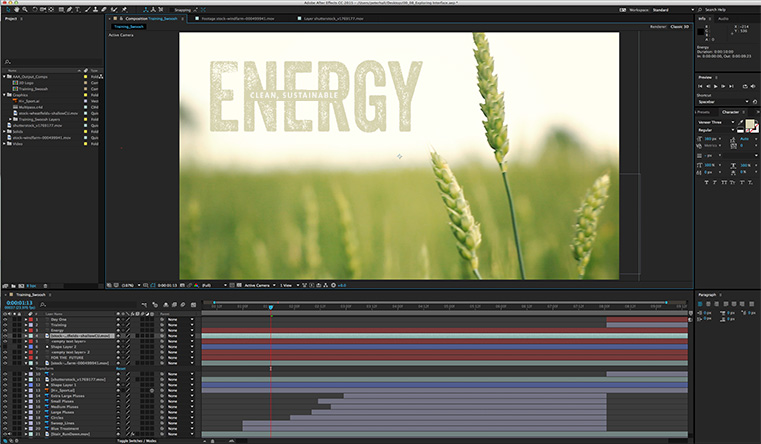
    The interface

    • » Menus
    • » Projects
    • » Panels
    • » Workspaces

    Media Management

    • » Importing media
    • » Organizing your Project panel
    • » Previewing Audio
    • » Working with Photoshop and Illustrator files
    • » Interpreting media

    Creating Animation

    • » Creating compositions
    • » Working with Layers
    • » Using Parenting to write Ae scriptsAnimation
    • » Animating properties
    • » Blur and Blending
    • » Layer styles
    • » Nesting and Precomposing

    Masks Mattes and Keys

    • » What are Masks?
    • » Creating and working with Shapes
    • » Track Mattes
    • » Chroma/Luma Keys

    Working with Text

    • » Creating text
    • » Formatting
    • » Animating
    • » Creating animation presets
    • » Creating custom text animators

    Working with Audio

    • » Adding audio
    • » How to preview audio
    • » Audio metadata
    • » Audio effects
    • » Audio composition markers

    Working in 3D

    • » RAM preview
    • » 3D Layers
    • » Material options
    • » Camera and lighting
    • » Adding depth of fi eld
    • » Ray traced rendering

    Advanced Animation

    • » Animating eff ect properties
    • » Creating animation presets
    • » Controlling time
    • » Smoother/ Wiggler
    • » Interpolation
    • » Squash and Stretch
    • » The Graph editor

    Tracking and stabilizing

    • » Tracker
    • » Mocha for Ae
    • » Warp Stabilizer
    • » 3D Camera solver

    Using the Pick Whip to create AE scripts

    • » LoopOut, Random, Wiggle
    • » Installing scripts
    • » Ease and Whiz
    

    Dates

    • Online:
    • Jun 24-26
    • Jul 21-23
    • Aug 26-28
    • Sep 22-24
    • Oct 21-23

    This course was great and really helped me to get re-acquainted with the software. I'm now very comfortable with the interface and feel that I can extend what I have learned to suit my needs. The instructor was well versed in all aspects of the program and was able to answer all of my questions. He made the experience very straightforward and enjoyable. Amanda

    Cancellation & Rescheduling Policy

    Plans change, and we can accommodate all reasonable requests. Sometimes there are hard costs
    involved but we’ll work with you to reduce or avoid them altogether. Please direct all cancellation
    and rescheduling emails to learning@thetrainingcompany.ca

    Cancellations

    » Cancellations made more than 5 days before a course date qualify for a full refund minus a $35 administration fee per student.

    » Cancellations made less than 5 days before a course do not qualify for a refund but the class may be rescheduled.

    » Cancellations made within 48 hours of the start time are not eligible for a refund and may not be rescheduled.

    » We are not able to offer refunds or rescheduling for no-shows or uncompleted courses.

    Rescheduling

    » There is no charge for rescheduling when you inform us at least 3 days before the course.

    » An administration fee of $35 per person is charged when rescheduling less than 3 days before a course.

    » Student substitutions are free. If you cannot take a course maybe your colleague can. Just let us know.

    » It is rare that classes do not run as scheduled but we do reserve the right to reschedule previously confirmed classes.